GMKtec NucBox M6 Ultra
In the afternoon the GMKtec NucBox M6 Ultra AMD Ryzen™ 5 7640HS Mini PC with 16GB of RAM and 512GB of SSD arrived. The device was ordered the 18th of August and was shipped from Germany.
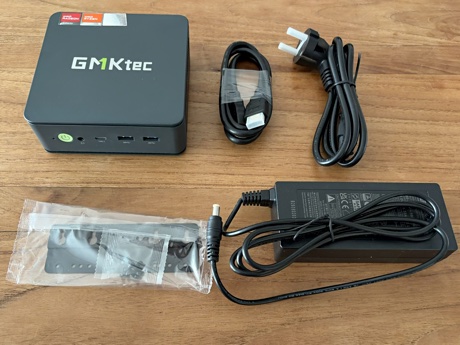
In the early evening I connected the device. I had to wait for Jaiden because I had to borrow her USB keyboard and she was out. The keyboard I had also ordered would arrive on Friday.
After a quick set up of Windows 11 I started a download of Ubuntu
26.04 LTS Desktop. I plan to run
Ubuntu on the device. I used certutil -hashfile to verify the SHA256
digest of the downloaded ISO file.
Next, I downloaded balenaEtcher to flash the Ubuntu ISO file onto a Philips USB flash drive. When done I rebooted the mini PC but it didn't boot the flash drive. So I rebooted again and immediately pressed F7 repeatedly. Now a menu showed up and I could select the flash drive to boot from.
However, during the installation of Ubuntu a window popped up regarding a UEFI dbx update. I confirmed this and when it asked if I wanted to restart I selected no. And then it looked like there was no progress installing Ubuntu, so I went down to watch a movie with Esme hoping it would be done after the movie.